01
Pain Points
The Covid-19 outbreak led a large number of people to start gardening for the first time. With this wave of new gardeners came a wave of questions about how to grow and care for plants. Lack of time and fear of failure are the two most common reasons people don't garden.
New gardeners have many questions and are more likely to fail if they don't get the guidance they need. People who fail often give up gardening altogether, which means fewer gardening customers. To keep people gardening, products need to make it easier, so there is a real opportunity for better garden education that helps people save time and enjoy the experience.
02
Possible Solution
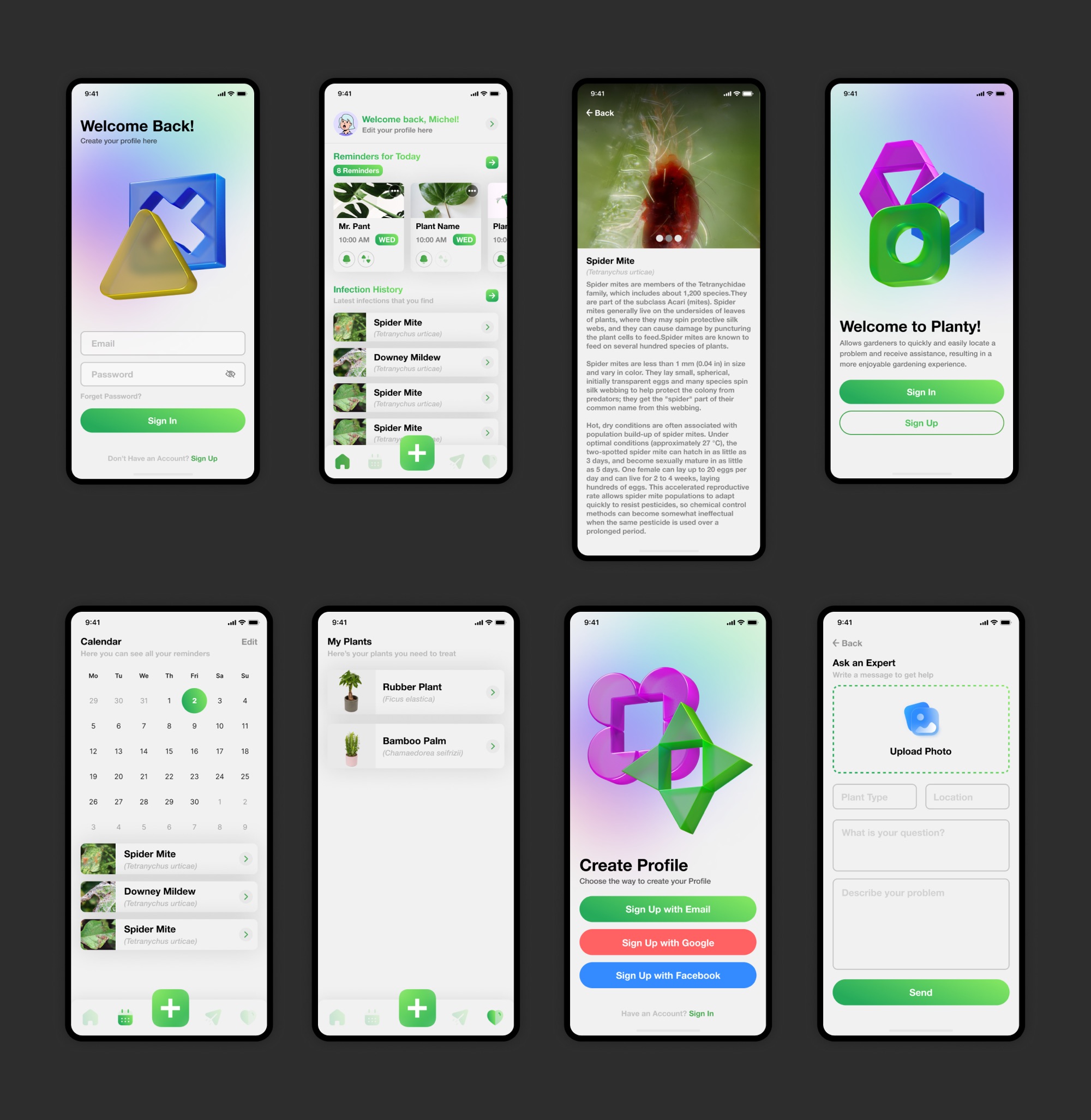
A digital solution for getting help with plants and caring for them: an app that lets gardeners quickly and easily identify and fix problems with their plants.
Planty is a plant care app that gives gardeners answers and support, helping them have more success in the garden.
03
Key Findings
Keep it simple: figuring out what's wrong with a plant, and how to fix it, can be difficult.
Time matters: searching for help online takes too long and doesn't always work, and it takes far too long to tell whether the advice will actually help.
Real-life help: users want advice from experienced gardeners.
Vegetables are popular: everyone enjoyed growing a vegetable garden.
Pests and diseases are the worst: dealing with plant problems and losing a harvest is the most frustrating part.
04
Wireframe
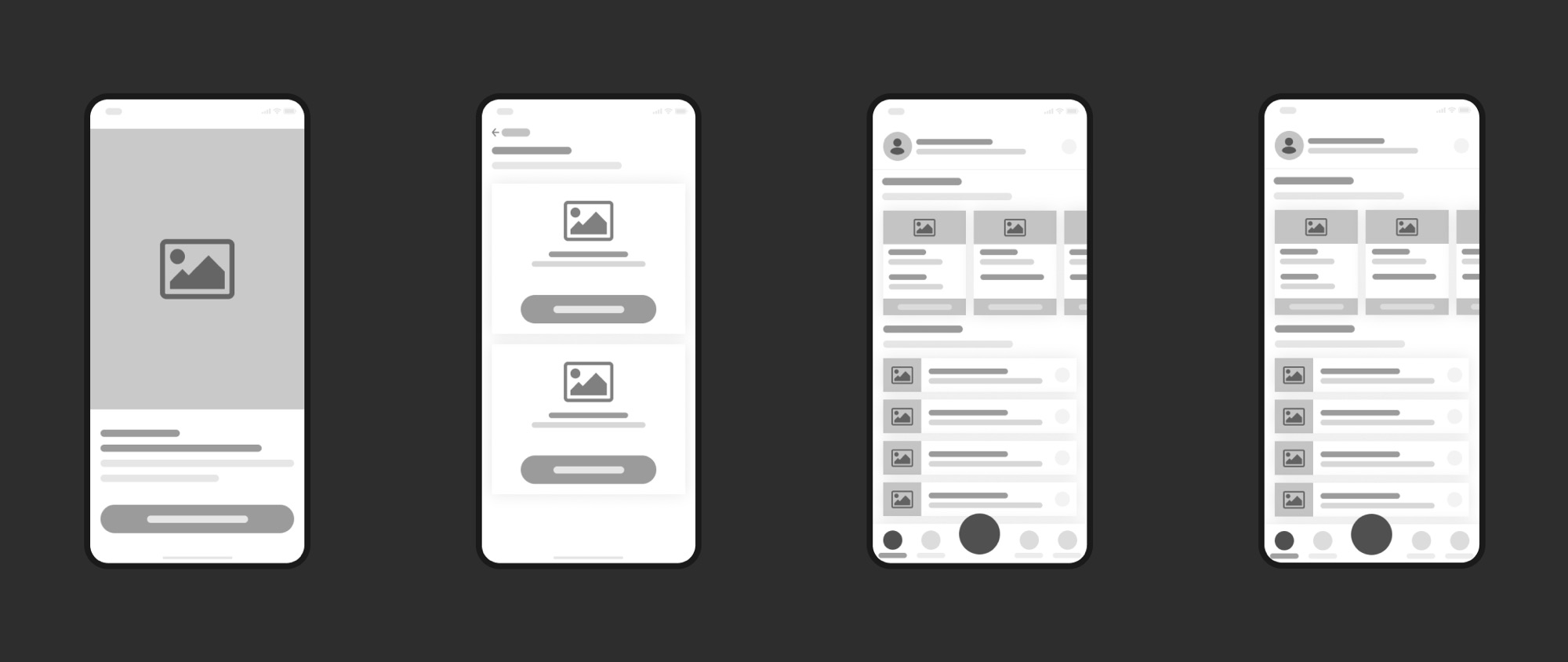
After exploring a few directions and choosing a design I liked, I built low-fidelity wireframes in Figma, focusing on the golden path scenario and the elements I thought would be most useful to users.
05
Testing
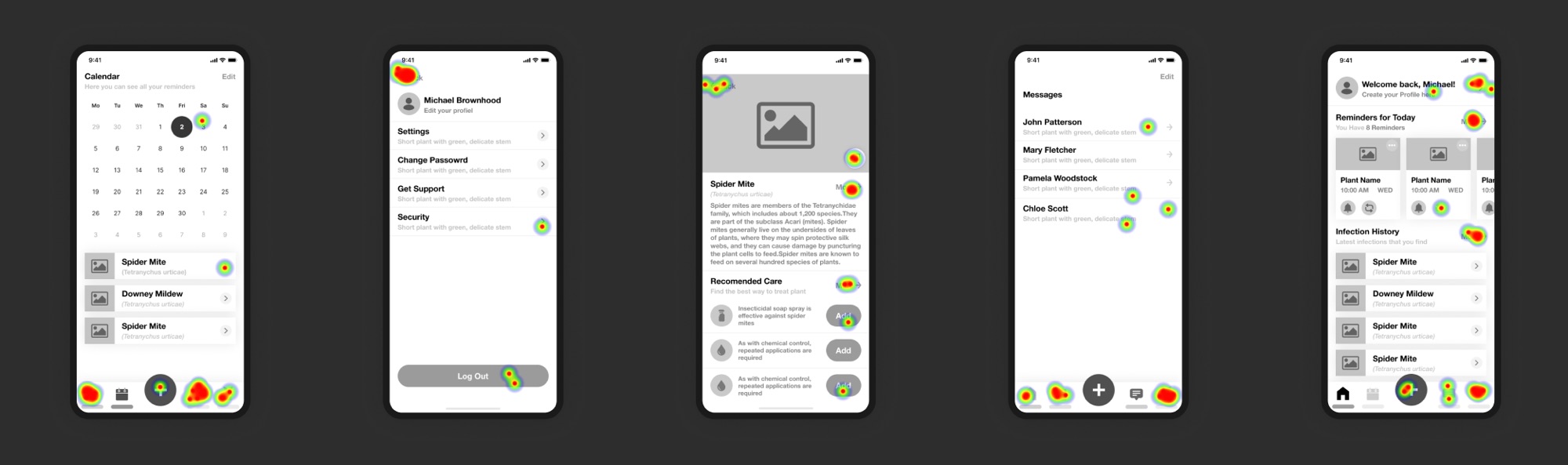
I used Userberry to run test scenarios with the high-fidelity prototype, gathering feedback on the app design and core user flows and spotting usability issues.
There were 10 participants in total, a mix of gardeners and designers. The scenario: you're a beginner gardener who has just started a garden, but you're having trouble with your plants and don't know what's wrong.
Tasks
- Task 1: You have a new plant with a problem. Show me how you would find out what the problem is and how to treat it.
- Task 2: You have a question about your plant that you'd like a garden expert to help with. Show me how you would ask for help.
- Task 3: You've received a notification that an expert has replied to your question. Show me how you would check the message.
Feedback
- 90% task completion: most users completed the tasks of diagnosing their plant's problem, choosing a treatment, and contacting or replying to an expert. A simpler flow with more obvious options would help the users who struggled.
- 80% found the app helpful: most participants found the app useful for gardening, and the "Ask an Expert" feature was especially well received.
- 25% misclick rate: users suggested simplifying the home page and plant cards. Removing duplicate controls will make the flow for adding plants clearer.
06
Final UI
Overall, it was a great experience. I learned a lot, especially about mobile and iOS design patterns, and got to stretch my UX muscles. My key takeaways:
Iteration produces better results. Testing the high-fidelity prototype showed that most users understood the design and found it useful, so we reached our goal. But reaching the goal doesn't mean the product is ready to ship. Iterating on the design based on user feedback, and applying solid design principles, gave users a better experience.
Simplicity is crucial. On every screen and at every step, users should be able to see their next action, and redundancy should be removed. The more the UI focuses on the user's main goal, the better.
Initial states are critical. Early prototypes assumed users were opening the app for the second or third time, because I needed to fill out plant cards, notifications and reminders. That only added confusion: first-run states and onboarding moments should be designed from the earliest prototypes.